Descrizione
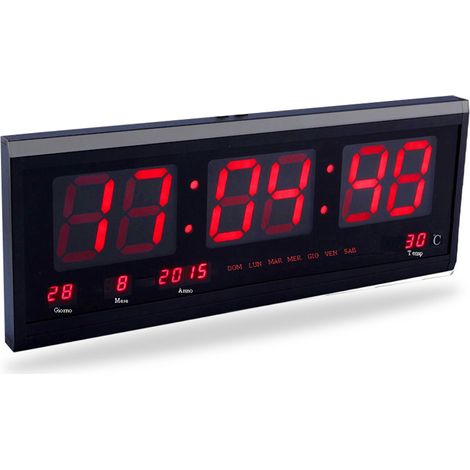
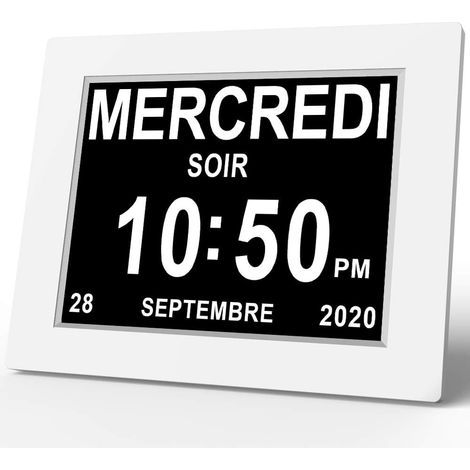
Clear date display: This digital alarm clock features a stylish design and a large display, making it easy to wake up. Every morning, you can accurately read the time and other important information, such as the date and temperature. Elegant choice: This digital alarm clock has a stylish and sleek appearance and adds a touch of sophistication to your desk or nightstand. The flowing lines and simple yet elegant style are not only practical but also a beautiful interior decoration, suitable for any occasion. Peaceful awakening: Our digital alarm clock is quiet and does not disturb your deep sleep, allowing you to wake up peacefully and start the new day in a peaceful mood. Easy awakening: This powerful and practical digital alarm clock can customize important reminders to your personal needs and set multiple wake-up times to help you get up on time. Convenient at night: It can clearly display the time even in dark environments, and the luminous function and light-transmitting mirror material ensure optimal ease of use in the dark. LED mirror alarm clock | Luminous mirror alarm clock with large display | Modern home decor with date and temperature display, bedroom and living room decoration. Use our mirror alarm clock to beautify your workspace! Clearly displays the time, date, and temperature for easy use at night. It does not affect your work or sleep and is more than just a clock. Specifications: Product name: Digital alarm clock Product style: Black shell with colored light Product material: ABS Product dimensions: Approx. 16 x 6 x 2.7 cm / 6.29 x 2.36 x 1.06 inches Product features: LED display, simple and beautiful, silent operation Scope of application: living room, bedroom, and other spaces Packing list: Digital alarm clock x 1 Notes: Due to lighting effects and shooting angles, the color of the product may differ slightly from the image. Due to manual measurement, tolerances may occur in the product dimensions. Instructions 1. Clock mode Press and hold the "MODE" button and then press the "UP" and "DOWN" buttons to switch between 12-hour and 24-hour format. Press the "MODE" button once, and then press the "UP" and "DOWN" buttons to adjust the hour. Press the "MODE" button once, and then press the "UP" and "DOWN" buttons to adjust the minutes. Press the "MODE" button again to return to the time display. 2. Date mode Press and hold the "MODE" button, and then press the "UP" and "DOWN" buttons to adjust the year. Press the "MODE" button once, and then press the "UP" and "DOWN" buttons to adjust the date. Press the "N" button to adjust the month. Press the "MODE" button once, then press the "UP" and "DOWN" buttons to adjust the day. Press the "MODE" button again to return to the date display. 3. Temperature mode: Press the "DOWN" button to adjust Celsius and Fahrenheit. Press and hold the "MODE" button until a beep sounds. The LEDs will alternately display the time, date, and temperature. The time is displayed for 10 seconds, the date for 3 seconds, and the temperature for 3 seconds. After cycling through the display, press and hold the "MODE" button again to display the normal time. 4. Night mode: Press the IDE button and then press "UP" to adjust the temperature. Use the "P" and "DOTN" buttons to switch night mode on and off. When night mode is enabled (set to "ON"), the brightness automatically dims by default from 6:00 PM to 06:00. Press and hold the "MODE" button and then press the "UP" and "DOTN" buttons to adjust the initial time in Night Mode. Press the "MODE" button once and then the "UP" and "DOTN" buttons to adjust the initial time in Night Mode. Press the "MODE" button once and then the "UP" and "DOWN" buttons to adjust the end time in Night Mode. Press the "MODE" button once and then the "UP" and "DOWN" buttons to adjust the end time in Night Mode. Use the "UP" and "DOWN" buttons to adjust the minutes at which Night Mode ends. 5. Alarm Mode In any mode, press the "ALARM" button to display the alarm mode. In any mode, press and hold the "ALARM" button and then press the "UP" and "DOWN" buttons to adjust the time in alarm mode. Press Press the "ALARM" button and then the "UP" and "DOWN" buttons to adjust the minutes. Press the "ALARM" button and then the "UP" and "DOWN" buttons to adjust the snooze time. Press the "ALARM" button and then the "UP" and "DOWN" buttons to adjust the snooze time. "DOWN" buttons to select an alarm for a specific day of the week.







'/%3E%3C/svg%3E)
'/%3E%3C/svg%3E)